Larry Ferlazzo’s Websites of the Day…

…For Teaching ELL, ESL, & EFL

March 23, 2011
by Larry Ferlazzo
1 Comment

YouTube Announces Super-Easy “Create” Feature

I certainly wouldn’t place any bets on YouTube getting through most school district content filters anytime soon, if ever. But they’ve just announced a great new ability to make videos and animations on the YouTube site itself using GoAnimate, Stupeflix, or Xtranormal and then posting it there.

The YouTube feature is called YouTube/create.

I can see myself using it sometimes to illustrate a concept for a lesson, or pointing out the idiocy of the latest school reform fad. But I suspect that it’s a super-cool tool that, outside of the two ideas I mentioned and potential use in adult ESL classes, won’t have much K-12 impact.

But, because it’s so cool, I’m still adding it to The Best Ways For Students To Create Online Animations (for adult students) and to The Best Ways For Students To Create Online Videos (Using Someone Else’s Content).

Thanks to TechCrunch for the tip.

Print Friendly

March 22, 2011
by Larry Ferlazzo
3 Comments

I Like Instalyrics

Instalyrics is a new site that shows you the lyrics to any song very, very quickly, along with a music video that goes along with it. The lay-out is very “clean” and it replaces Batlyrics as my favorite place for music videos and lyrics.

I’m adding it to:

The Best Places To Find Lyrics On The Web

The Best Websites For Learning About Bob Marley

The Best — And Easiest — Ways To Use YouTube If, Like Us, Only Teachers Have Access To It

Print Friendly

March 19, 2011
by Larry Ferlazzo
0 comments

The Love Project Lives!

Last year, I posted about the Starbucks Love Project. Starbucks was raising money to combat AIDS in Africa by having people from around the world sing “All You Need Is Love” and post it on the site (maybe they were contributing money everytime somebody sang it on the site? It wasn’t quite clear to me how that fundraising part worked). It was a fun excuse to get English Language Learners and other to sing.

Then they took the site off-line. However, I just discovered that it has a new web address where you can see a fun mash-up of people singing (sort of like the videos at Playing For Change), plus, you can still contribute your own performance.

It’s worth a visit just to see the mash-up, and it’s still a good opportunity to sing in English for an authentic audience.

Print Friendly

March 18, 2011
by Larry Ferlazzo
2 Comments

The Best Websites For Learning About Bob Marley

One of the units we teach in our mainstream ninth-grade classes is on Jamaica, and, obviously, Bob Marley is a big part of it.

Student are now writing a biographical essay about him, and I thought it would be timely for me to pull together a list of useful resources.

(NOTE: Also check-out The Best Sites Remembering Bob Marley Thirty Years After His Death)

Here are my choices for The Best Websites For Learning About Bob Marley:

The Biography Channel has a number of resources.

Check out his official website.

The ‘lost’ footage of Bob Marley’s early career comes from the BBC.

The Rock Hall of Fame has a timeline of his life.

Here’s an internet scavenger hunt about him.

Soul Rebel: An Intimate Portrait of Bob Marley is a slideshow from The Washington Post.

Playing For Change has great videos of his Redemption Song and One Love.

Here’s an embedded version of both songs from Playing For Change:

You can do a fun sing along in class with Batlyrics. It shows the lyrics on the side while playing a YouTube video of the song at the same time. Now that we can access YouTube, it’s great to use. Instalyrics is a new site that shows you the lyrics to any song very, very quickly, along with a music video that goes along with it. The lay-out is very “clean” and it replaces Batlyrics as my favorite place for music videos and lyrics.

Breaking News English has a lesson on Bob Marley for English Language Learners.

Here’s a Bob Marley slideshow (and some video clips of him) from the Biography Channel.

Bob Marley’s daughter has just published a children’s book and created this new music video of one of her father’s songs:

Here are two videos I’m adding to this list. The first is a trailer for documentary that looks good (thanks to Michelle Henry for the tip). The second is from The Biography Channel. That one looks a little dry, but it is freely available:


Additional suggestions are always welcome.

If you found this post useful, you might want to consider subscribing to this blog for free.

You might also want to explore the over 600 other “The Best…” lists I’ve compiled.

Print Friendly

March 12, 2011
by Larry Ferlazzo
4 Comments

Now That Teachers Can Access YouTube In Our District, Here Are Two Great Music Sites For ELL’s

About two months ago, our District changed its policy and allowed teachers to access many previously-blocked site, including YouTube. It really expands learning opportunities for our students in so many ways. I wanted to share two great music sites we can now use with our students. I’m adding both to The Best Music Websites For Learning English.

One is Lyrics Training. It shows YouTube videos of the latest popular songs, and provides subtitled “clozes.” In other words, it will show the words as they are sung, but it will periodically show a “blank” where a word has been removed. The video will stop at the end of that line, and listeners have to type in the correct word that they heard. The “blank” also shows how many letters there are in the missing word. You’re given the option of watching the video with a few blanks, more blanks, or none (which is great after you complete the whole song). It’s great to project it up on the screen and then have students — either individually or in small groups — use small whiteboards to write down their answers. It’s simple to use — no registration is necessary — and you can learn more about it at Teacher Training Videos.

Batlyrics has been on The Best Places To Find Lyrics On The Web list for awhile. It shows the lyrics on the side while playing a YouTube video of the song at the same time. Now that we can access YouTube, it’s great to have a full sing-along.

Thanks goodness for lightening up on content filters!

Print Friendly

March 10, 2011
by Larry Ferlazzo
0 comments

Create A Song & Make House Lights Change To Its Beat

John Lewis Harmony lets you either choose your favorite song, or create your own with your keyboard, and watch different parts of a virtual house light-up to its beat. If you choose to create your own song, you’re given a link to share. No registration is required.

English Language Learners could have fun by creating their own tune and then writing words that go along with it. Or they students could post their creations on a blog, and other students could comment on what they like about them.

John Lewis Harmony will certainly be on the next installment of how to “make online content easily and quickly.”

You might also be interested in The Best Online Sites For Creating Music.

Print Friendly

March 4, 2011
by Larry Ferlazzo
0 comments

Create A Message With Letters Bouncing To Your Music

Font de Music lets you type in a message, choose music to go with it, adjust the font and color, and then it turns your letters into a bouncing, live performance. In addition, and most importantly for English Language Learners, it also lets you write a message that goes along with it, in addition to giving you the url address of your creation. It can be posted on a student or teacher blog or website.

It will certainly be on a future “The Best…” list.

Print Friendly

February 16, 2011
by Larry Ferlazzo
4 Comments

“Little Bird Tales”

Richard Byrne has done it again, finding another online tool that has a lot of potential.

Little Bird Tales lets you easily make slideshows where you can add text and, more importantly for English Language Learners, provide an audio narration. On nice touch is that you can virtually paint/draw artwork in addition to uploading images (unfortunately, the site doesn’t have the ability to grab photos off the web by url addresses). It’s free to use, but I’m unclear on if there will be an eventual cost to use the site. It appears to have an upper limit on the number of shows you can produce.

You can read more about it at Richard’s post.

Because of its unique features, I’m adding the site to three “The Best…” lists:

The Best Ways To Create Online Slideshows

The Best Sites To Practice Speaking English

The Best Art Websites For Learning English

Print Friendly

February 13, 2011
by Larry Ferlazzo
1 Comment

“Lady Liberty” Interactive

The 9/11 Memorial Foundation has created an interactive website called Lady Liberty.

After 9/11, someone placed a replica (not full-sized, of course) of the Statue of Liberty outside a New York City firehouse, and people began attaching messages, photos, and art to it. At the website, you can explore the messages. A teacher’s guide is also available for free.

I’m adding the link to The Best Sites To Help Teach About 9/11.

Print Friendly

February 1, 2011
by Larry Ferlazzo
2 Comments

The “Google Art Project” Is Amazing!

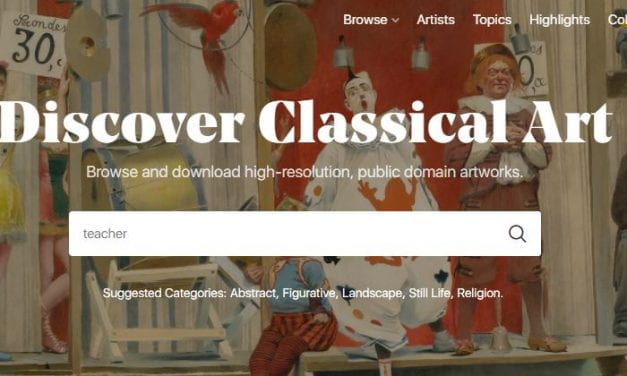
The Google Art Project puts some of the most important art museums, and their collections, online with amazing features, including being able to create your own art collection. I’ve embedded a very short video from the site that shows what it can do — I can’t do justice to it just with words. I’m adding it to The Best Ways For Students To Create Their Own Online Art Collections.

Print Friendly

January 17, 2011
by Larry Ferlazzo
1 Comment

Extraordinary Music Resources For The ESL/EFL Classroom

Teaching English through songs in the digital age is a four part series by Vicky Saumell summarizing a recent #ELTchat session on Twitter. I can’t imagine you’d find a better compilation of resources and teaching ideas anyway — it’s a must-read and must-bookmark resource.

And, if that isn’t enough for you, Eva Büyüksimkeşyan has also posted another exhaustive list of music-related resources: Songs in EFL Classroom.

I’m adding both links to The Best Music Websites For Learning English.

Print Friendly

December 23, 2010
by Larry Ferlazzo
1 Comment

The Best Art & Music Sites — 2010

I’ve posted quite a few art and music-related sites over the past year — enough to warrant their own end-of-year list.

You might also be interested in last year’s edition:

The Best Art & Music Sites — 2009

In addition, here are several related “The Best…” lists that I’ve posted during the past year:

The Best Sites For Learning About Famous Art Thefts

The Best Examples Of “Unusual” Art

The Best Sites For Ideas On Making Simple Musical Instruments

Here are my choices for The Best Art & Music Sites — 2010:

ART:

Drips let you paint like Jackson Pollock, and you can save it online. And you don’t have to register for it. Even cooler, it gives you a choice of painting it with either your mouse or your webcam and computer microphone. With your webcam, you can use your cellphone light or something else as a brush and your voice to change the color. After you save it, you’re given its url address. Students can post it on a student/teacher blog or website and describe it, as well as comment on others made by their classmates.

Slimber is a very simple online drawing tool that requires no registration. Once you go to the website, you click on “painter” at the top, and you can begin creating. Once you’re finished, you can click “play” and it will “rerun” the artistic process you used. After clicking save, you can write a description of your image. Next, click on “gallery” where you can see your creation and get a url address or embed code.

Draw.to looks like a simple online drawing application. It’s easy to draw and then share your creation. Press the “c” on your keyboard to gain access to drawing in color.

The Guggenheim Museum has an amazing collection of eCards that can be sent by email and then its url address can be posted on a student/class blog or website.

MUSIC:

Batlyrics is a new site that looks like a great place to quickly and easily find song lyrics.

Listen Music is a new web application that allows access to many, many songs. One nice feature is that you can also get the lyrics easily & quickly. It meets my “Raffi Test” by having a number of songs by that artist available.

The American Heart Association has unveiled a web application that lets you create a “hand symphony” and send the link of your creation to a friend or yourself. It can then be posted on a teacher website or blog. It’s designed to promote the Association’s new hands-only CPR, and the site also has a one minute video demonstrating it. It’s a fun site.

At Isle Of Tune, you create music by creating a city. Yes, that’s right, you “drag-and-drop” different parts of a city — homes, cars, trees, etc. — and each one has a musical tone. Then click “Go” and the car prompts the different elements to do their thing. No registration is required, and you’re given the url address of your creation to share. As a bonus to English Language Learners, the different parts of the city are labeled, so students can pick up vocabulary at the same time. Plus, they can describe their musical creations.

Ujam just became public yesterday. It seems pretty neat. Here’s how TechCrunch describes it:

All you do is hum, whistle, or sing, and Ujam can turn your voice into nearly any instrument and fix it so that it is in tune. You can also upload your own pre-recorded tracks or pick pre-existing tracks on Ujam from different styles of music (Kraftwerk, 80s Rock, Campfire Guitar). The Ujam music editor lets you change the instruments, tempo, pitch, and mix between vocals and music to create your own composition. Once you are done, you can save your songs and download them as MP3s for sharing.

Feedback is always welcome.

If you found this post useful, you might want to consider subscribing to this blog for free.

You might also want to explore the 500 other “The Best…” lists I’ve compiled.

Print Friendly

December 21, 2010
by Larry Ferlazzo
1 Comment

The Helsinki Lamentation Choir

(Barbara at Language Lab Unleashed has posted similar videos from several other countries that I’d recommend you check-out)

A composer in Helsinki made a list of common complaints made by residents, and then turned them into the fun choral work in the below video.

It got me wondering if doing something like this could be turned into a fun English-language learning opportunity for students — maybe we could compile a list and, even though I’m doubtful students would want to sing them, they could make posters or create fun skits using them.

Or maybe I just like this performance and am trying to come up with a rationale for posting it in this blog? :)

Print Friendly

December 18, 2010
by Larry Ferlazzo
1 Comment

“Isle Of Tune” Is A Super-Fun Way To Create Music

At Isle Of Tune, you create music by creating a city.

Yes, that’s right, you “drag-and-drop” different parts of a city — homes, cars, trees, etc. — and each one has a musical tone. Then click “Go” and the car prompts the different elements to do their thing.

No registration is required, and you’re given the url address of your creation to share.

As a bonus to English Language Learners, the different parts of the city are labeled, so students can pick up vocabulary at the same time. Plus, they can describe their musical creations.

I’m adding it to The Best Online Sites For Creating Music.

Thanks to TechCrunch for the tip.

Print Friendly