
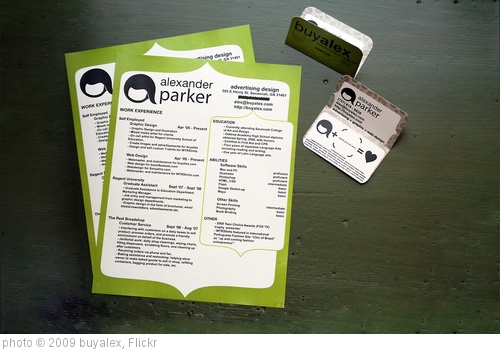
When I originally wrote The Best Websites For Students Exploring Jobs and Careers, there were quite a few free resume-writing sites out there that had a lot of scaffolding to help people write resumes, but only one gave you the option to print it out so it looked nice on paper.
Apparently, over the past year most of these sites figured out that in order to get a job, most people were going to need a hard copy of their resume and not just a virtual one online. So, happily, there’s more of a choice out there, and all of them seem pretty equally accessible to English Language Learners.
Here are my picks for The Best Places For Students To Write Their Resumes (not in any order of preference):
Actually, my favorite is now Read Write Think’s Resume Generator
Resume Companion looks like a very easy, and scaffolded, tool to create a resume.
Resunate is an easy online tool to create a resume.
Resumonk lets you easily create resumes. It’s one of the easiest tools out there that I’ve seen — students can quickly make a PDF.
HipCV is a new resume-builder site that, importantly, lets you download your resume as a PDF. It provides a pretty straightforward guide to adding information to a resume, which is important for students.
Though I’m not sure the world needs yet one more online resume-builder, Resume-Now is a new decent site that provides a lot of step-by-step guidance and lets you download the finished product.
Standard Resume lets users easily create…resumes.
Resume is another decent online resume site. You can create one for free.
Resumemaker seems like a pretty easy tool where students can…make their resumes.
Cake Resume is a decent site where students can create their resume.
SwiftCV is a new online resume tool.
FlowCV is another online resume builder.
Make CV For Free is a new resume-creation tool.
I’d still encourage readers to check-out The Best Websites For Students Exploring Jobs and Careers because it has several other excellent resources related to job-hunting and exploring careers.
Redefinio lets you create resumes.
Easy Resume is yet another tool for creating your resume online.
Applyya is yet another easy resume-creating site.
Flowcv is yet another online tool for creating resumes.
Rezi is another online resume generator.
Resoume is yet another tool for creating resumes.
Resumemaker seems like a pretty easy way for students to create resumes – it seems well-scaffolded..
it looks like Read Write Think has modified their wonderful interactives for a post-Flash world, including their great resume generator.
Cover Letter Now can help with…writing cover letters.
Resume Maker and Resumanage are two new resume-creators.
Canva has some NICE resume templates. pic.twitter.com/lg6LEVvFye
— Dr. Tracy Edwards (@tracyrenee70) August 13, 2022
EZCV is a new free tool to create resumes that looks a little different from all the others.
ineedaresume is a no-sign-up tool.
Resume Maker Online is similar.
Cover Letter Generator will use AI to generate a cover letter after you upload your resume and job application.
Your personal job interview coach is what it says it is.
Practice Interview lets you choose the job you want, and then uses an AI-generated chatbot to ask you interview questions that you can answer.
CoverCraftr creates cover letters for resumes.
How to Answer “What Are Your Strengths and Weaknesses?” is from The Harvard Business Journal.
Leet Resumes will use AI to upgrade and revise your resume.
Open Resume uses AI to help you create a resume for free
Free Resume Builder uses AI to do what it’s name says.
CV Wizard is a pretty easy tool for creating resumes.
Resume Trick is yet another AI site for creating…resumes.
I like this Interview Preparation Tool.
Earn Better is yet another AI-powered resume tool.
@realisticrecruiting What is your greatest weakness is not a trap on a job interview. People are not perfect, having self-awareness is an important trait. #careeradvice #jobsearchtips #jobinterviewtips #interviewtipsandtricks #jobinterviewquestions ♬ original sound – Mike Peditto | Job Search Talk
First Rounds is a practice interview site.
As always, feedback is welcome.
If you found this post useful, you might want to look at previous “The Best…” lists and also consider subscribing to this blog for free.



Thanks for the mention in your post! We’ve recently completed a major update to the GigTide application and website. Please feel free to check us out – we’d love to hear some feedback on the upgrade.
I think the value of the resume as a job search tool for teens is almost nil. They would be much better off practicing completing job applications. Resumes rarely give the information an employer needs — or that a student needs to complete a job application.
I worked a couple summers in the Human Resources department of a resort which had many jobs for entry-level, unskilled workers. By law, we had to have a completed job application in order to consider a person for a job. We could not accept an application that said “see resume.”
One of my tasks was to watch to see which applicants had information with them to complete an application and which had to borrow a telephone book or make a couple cell phone calls to get information needed on the application. Those people’s applications went to the bottom of the pile.
An article based on my experience in that office gives advice to job seekers: http://bit.ly/aJa94R
another good resume builder that is free to use is http://www.careerigniter.com
It looks good, though it doesn’t appear that you can view what it looks like before you download it. That’s why it’s not on this list.
The point is you have to be able to download it to see what it looks like in terms of layout etc. another get tool – http://www.pure-jobs.com
Thanks for compiling this list! I am teaching a junior high “careers” class right now and we are using some of your resources (including some of the websites from your “Best Websites for Students Exploring Jobs and Careers” post). I wondered if you have suggestions for where to find good sample résumés? Most of my students are too young/inexperienced to even know yet what a résumé is or should look like. Having a handful of good examples would give them a better idea than instructions to create their own, especially when they have so little job experience at this point.
Sara,
I’m sure somewhere on this list you can find some, but couldn’t tell you where.
Larry
Hi Larry,
Nice piece with some good advice and links. Some of the infographics make some very interesting points with regard to where to focus your efforts on your CV. One thing that should always be kept in mind when creating your CV is the industry or job role you’re applying for. It’s important for your CV to reflect what that specific employer is looking for eg. if it’s a creative position then you’re CV needs to have some flare so you can stand out from the crowd.
We actually offer a range of free CV templates which can be downloaded using our CV building website, take a look if you have time here – http://www.jobulo.com/ – as well as enabling our users to create a unique CV we also have a large advice section on all things related to job searching and applications.
Good luck to all the job seekers out there!
Hi Larry, appreciate your splendid work. priwoo.com is also a substantial addition to this article as it provides a free service to its users. Although Priwoo is not very popular, it is a very suitable tool for building anyone’s resume.